When I started using this review analysis tool, I wanted a quick way to figure out what customers really thought about local businesses - mine and my competitors’. Instead of scrolling through endless reviews, the tool gathers them in seconds and turns that data into insights I can actually use.
As I scrape Google reviews, I can see right away how my business stacks up, what people like, and what annoys them. Looking at what competitors do well (or don’t) lets me adjust my strategy with more confidence.
The analysis goes beyond just star ratings. It finds patterns, keywords, and real chances to grow. It’s a hands-on way to tighten up my marketing, improve customer experience, and make smarter choices using real data.
I use the Google Review Scraper to collect and compare feedback from Google Maps. It shows how my business performs against its top three competitors.
The process is quick - just copy your business URL and your competitors’ URLs into the tool. That’s it.
Key Functions:
This lets me spot what customers like, what frustrates them, and where I might be missing out.
| Feature | Description |
|---|---|
| Competitor Review Comparison | Shows average ratings and counts for up to three competitors |
| Keyword Detection | Finds repeated words in reviews |
| Automatic SWOT Output | Summarizes business insights from review data |
Getting it takes less than a minute. I click the link under the video or jump to my site, scroll to the Google Maps Review Analyzer, and download it for free.
Once I’ve got it open, I:
The scraper and other analysis tools don’t cost anything. I get a fast look at how my business compares and where I might get ahead.

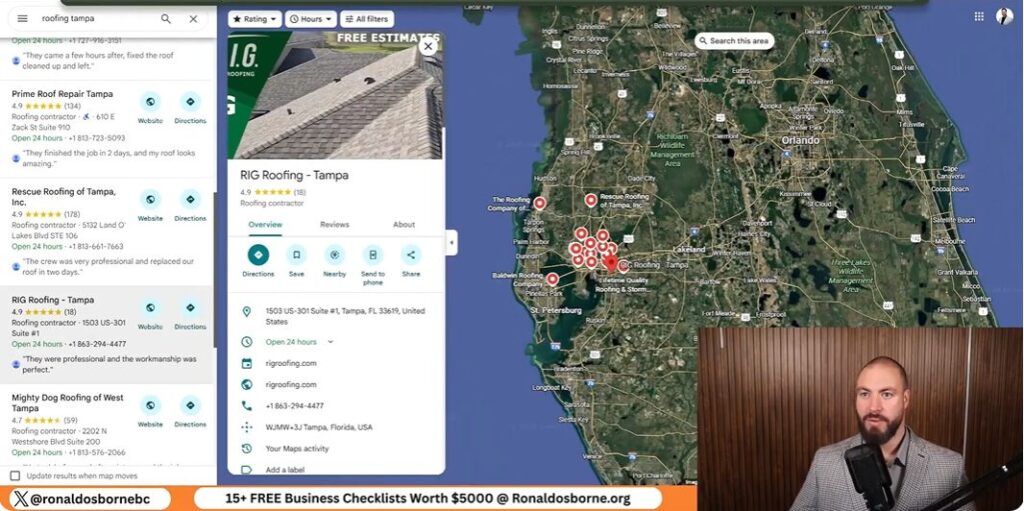
I start by grabbing the web links for my business and three main competitors from Google Maps. I always use the full URLs, not just names, since similar names can trip up the tool.
| Field | Example Entry |
|---|---|
| My Business | https://maps.google.com/examplebusiness |
| Competitor 1 | https://maps.google.com/competitor1 |
| Competitor 2 | https://maps.google.com/competitor2 |
| Competitor 3 | https://maps.google.com/competitor3 |
Once I enter the info, the scraper jumps in and starts pulling the Google reviews.
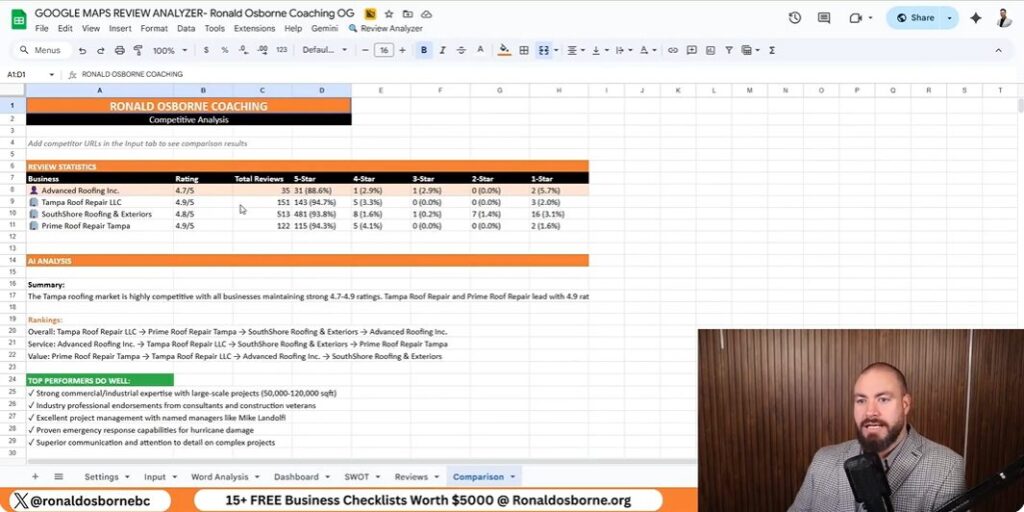
After the data loads, I move to the dashboard to compare things like average rating, total reviews, and star distribution.
The dashboard gives me:
The tool also runs a SWOT analysis automatically, splitting strengths, weaknesses, opportunities, and threats. If reviews mention slow paperwork or lousy communication, I mark those as weaknesses. If lots of people praise project results, that goes in strengths.
It’s pretty clear where competitors shine - and where I need to step up my own service.
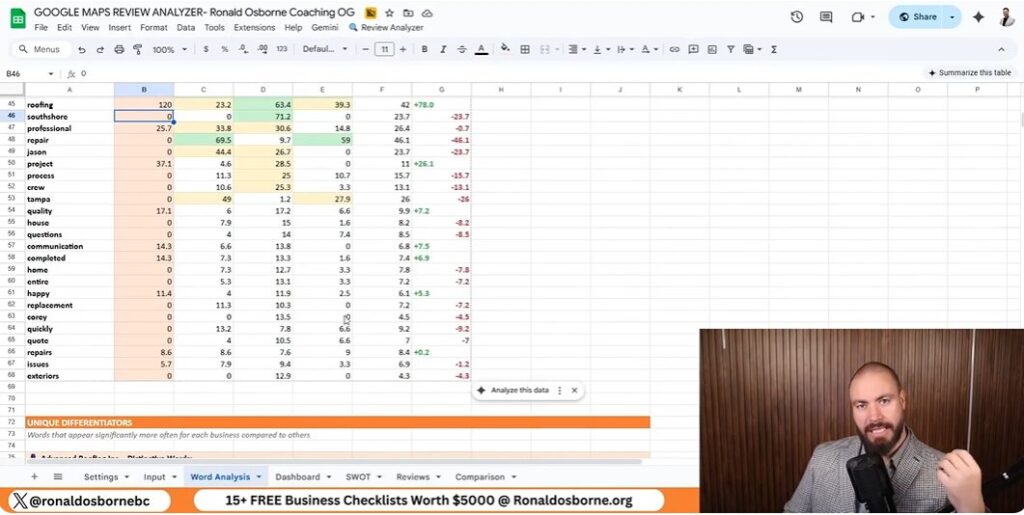
I use a Google review scraping tool to analyze local competitors. It pulls reviews from the top three businesses in my area and sets them side by side with mine.
After I paste each company’s URL, the system grabs review data and runs a full analysis automatically. The results show star ratings, total reviews, and sentiment spread for both good and bad comments.
This helps me spot where competitors stumble - like repeated complaints or slow service. I can also see keywords that pop up most, which tells me what customers really care about.
| Factor | My Business | Competitor A | Competitor B | Competitor C |
|---|---|---|---|---|
| Average Rating | 4.2 | 4.8 | 4.6 | 4.1 |
| Total Reviews | 320 | 500 | 410 | 280 |
| 1-Star Reviews (%) | 7% | 3% | 4% | 9% |
I look for patterns in the bad reviews. If customers keep mentioning paperwork delays or slow communication, that’s a red flag. Every negative comment is a lesson in what not to do - and where I can do better.
Once the tool finishes its scan, it builds a SWOT-style dashboard for me. It lists strengths, weak spots, opportunities, and possible risks based on the words and tone in real reviews.
| Category | Insight Example |
|---|---|
| Strengths | Customers mention strong project management and skilled crews |
| Weaknesses | Complaints about delayed paperwork and slow follow-up |
| Opportunities | Promote positive feedback from consultants and property owners |
| Threats | Overdependence on a single key staff member |
If others get praise for “professional crews” or “quick project turnaround” and I never see those words in my reviews, I know I’ve got work to do. These insights help me sharpen my local SEO strategy because they show me which keywords and experiences matter most to local customers.
I use the review analyzer to scan Google reviews from my business and my top three competitors. The tool grabs every review, spots repeated words, and groups similar terms together.
It shows me how often words pop up and how they tie into customer sentiment. For example, words like professional, repair, or crew might show up more in a competitor’s feedback. I can see which terms build trust or show service quality - and where my reviews might be lacking.
| Example Metric | My Business | Competitor A | Competitor B |
|---|---|---|---|
| Reviews Analyzed | 200 | 310 | 285 |
| Common Positive Terms | project, reliable, team | crew, fast, helpful | clean, responsive, detailed |
| Common Negative Terms | delay, paperwork | cost, miscommunication | timing, incomplete |
These insights help me tweak my messaging and services so customers use stronger, more consistent keywords about my business.
The dashboard puts all the collected data in one spot. I can quickly check ratings, total reviews, and average stars across competitors.
Graphs and tables show which business leads in each area. The automated SWOT report breaks out Strengths, Weaknesses, Opportunities, and Threats based on the language in reviews:
The breakdown gives me a roadmap for what to keep, what to fix, and where to push harder. The data and visuals turn customer feedback into steps I can actually take right now.

As I use my tool to scrape Google reviews, I can quickly spot where my company stands out compared to local competitors.
The automatic analysis highlights project management as a strong area, and customers mention it often in their feedback.
The tool also uncovers new opportunities.
For instance, reviews from consultants and property managers show strong satisfaction, so I can use their testimonials in future marketing.
It also points out patterns, like a growing interest in solar or green technologies - maybe that’s something worth exploring for expansion.
| Strength/Opportunity | Action Step |
|---|---|
| Excellent project management | Feature success stories on the website |
| Trusted by consultants and property managers | Use testimonials in campaigns |
| Green technology interest | Add eco-friendly options to services |
The analysis reminds me that some internal issues need attention.
Delayed paperwork and slow administrative processes frustrate customers, and poor communication during projects stands out as a weakness.
Another risk is relying too much on key team members.
Customers often mention one specific employee by name, which shows trust but also means I should train others to keep things stable.
| Weakness/Threat | Action Step |
|---|---|
| Administrative delays | Streamline office tasks with digital tools |
| Poor communication | Create clear client update routines |
| Dependence on key staff | Cross-train team members to share workload |
I use the review analyzer to figure out what customers value most.
The tool scans every review and highlights the words that show up a lot, giving me a real sense of what people talk about.
This helps me see if customers feel positive or negative about my business compared to others in the area.
| Data Point | Insight Example |
|---|---|
| Frequent Terms | "Professional," "Project," "Team" |
| Customer Tone | Mostly positive with concerns about speed |
| Action Step | Improve project time communication |
When I see repeated concerns - like slow response times or unclear communication - I try to address them right away.
Staying on top of what customers mention helps build trust and keeps satisfaction up.
Comparing my company’s reviews to top competitors helps me spot weak spots that could hurt my brand’s credibility.
The automatic SWOT report pulls out strengths, weaknesses, opportunities, and threats based on what customers actually say.
Examples of insights include:
I use the data to improve staff training and refine processes, making sure the company’s image stays steady in search results and client feedback.
You can see how I’ve helped others reach their business goals by checking the client feedback on my website, ronaldosborne.org.
I include both written and video testimonials that show real results from people and teams I’ve coached.
| Type | Description |
|---|---|
| Video Reviews | Short clips where clients talk about their growth and results |
| Written Reviews | Comments and feedback available below the videos |
These examples give you a clear idea of how my strategies have worked in different industries.
If you want help improving your business or want to dig into how the Google review scraper works, just reach out to me directly.
On our call, we’ll chat about your business goals and how to scrape Google reviews effectively. We can also look at a few tools that might make your workday a little smoother.

Ronald Osborne is an Australian entrepreneur and experienced business coach. With over ten years of business and mentoring experience, an MBA specializing in Finance, along with launching/partnering with over 10 of his own companies around the globe, he has been able to achieve his version of success. Ronald has been able to help large telecommunication companies, law firms, trade businesses, and everyday business owners improve their business and take it to the next level.